Automations
Mirrored from OpenAI for archival readability. Support the source by reading on the original site.

April 23, 2026
OpenAI AcademyAutomations
Run recurring tasks automatically using schedules and triggers in Codex.
Codex can automatically run tasks on a schedule.
This makes Codex proactive. Instead of waiting for you to come back and ask for an update, Codex can return at the scheduled time, do the work, and surface the result for you to review.
This is useful for recurring work, like preparing for the day, reviewing what changed, checking for updates, summarizing recent activity, or creating a weekly report.
For example, you might use a thread automation to:
- Write a weekly review every Friday
- Create a morning brief from yesterday’s work
- Summarize new files added to a folder
- Clean up a weekly data export
- Check for missing or inconsistent information
- Create a recurring project status update
Some automations can also return to the same conversation and continue from the context already there. That is especially useful when you want Codex to pick up an ongoing task instead of starting fresh each time.
A good automation is specific, repeatable, and easy to review.
For example:
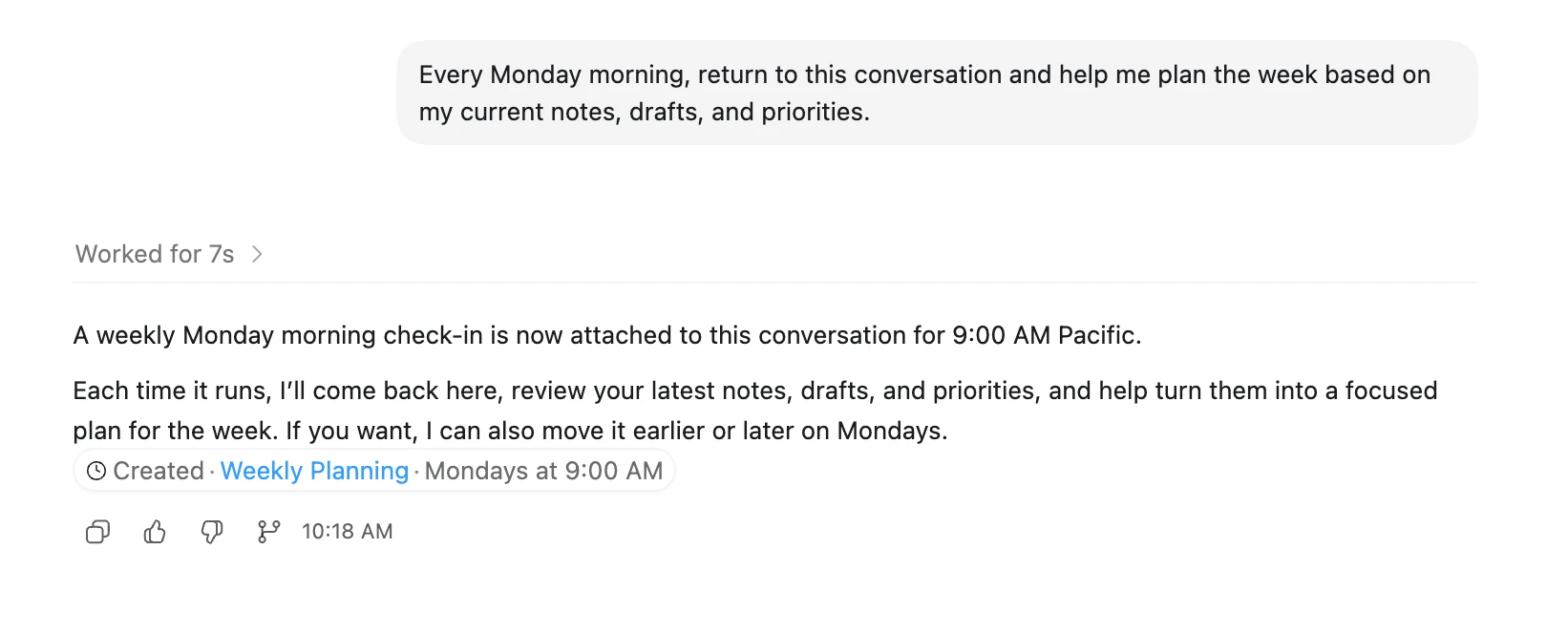
Or:
Note: If you’re running Codex locally, automations work best when your laptop is awake and Codex is running.
Start by chatting back and forth with Codex to zero in on the exact kind of behavior and output you’re looking for. Once Codex understands exactly what you need, turn that task into an automation.


Discussion (0)
Sign in to join the discussion. Free account, 30 seconds — email code or GitHub.
Sign in →No comments yet. Sign in and be the first to say something.