Add some color to your life, with icon themes
Mirrored from Zed Editor for archival readability. Support the source by reading on the original site.
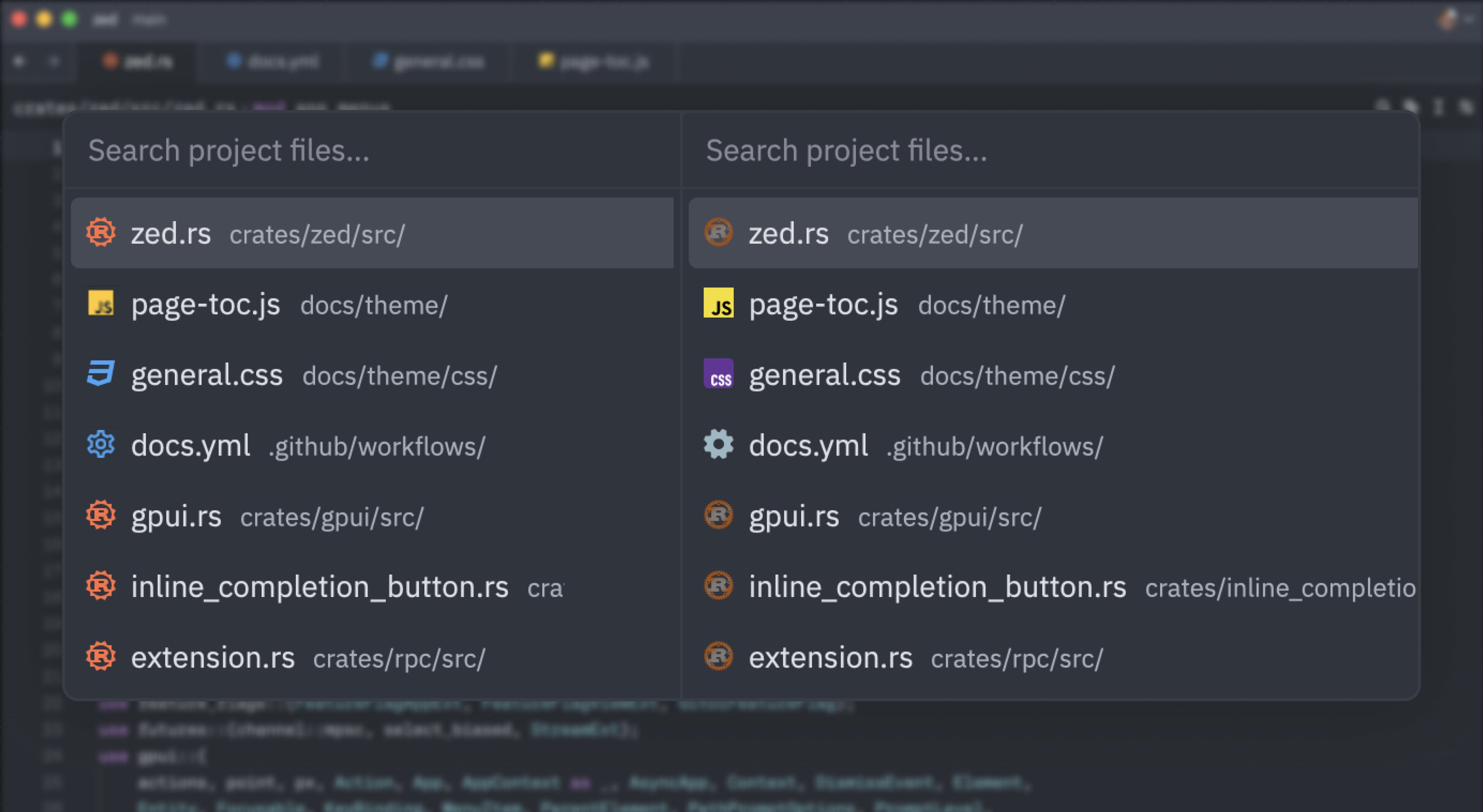
At Zed we love our monochrome icons, but we recognize they are not everyone's cup of tea:
That's why, as of today, you can now use icon themes to change the way folder and file icons look in Zed.


There are already a couple of icon themes available as extensions you can try out right now:
More will be coming soon, thanks to the efforts of our awesome community members!
Once you have one or more icon themes installed, you can use the icon theme selector: toggle action in the command palette to switch between them.
Whether you are looking to build your own icon theme from scratch or bring over your favorite one from another editor, visit the docs to get started.
Related Posts
Check out similar blogs from the Zed team.


Looking for a better editor?
You can try Zed today on macOS, Windows, or Linux. Download now!
We are hiring!
If you're passionate about the topics we cover on our blog, please consider joining our team to help us ship the future of software development.
Discussion (0)
Sign in to join the discussion. Free account, 30 seconds — email code or GitHub.
Sign in →No comments yet. Sign in and be the first to say something.