 Ahead of AI (Sebastian Raschka) · · 2 min read
 Understanding and Implementing Qwen3 From Scratch
Mirrored from Ahead of AI (Sebastian Raschka) for archival readability. Support the source by reading on the original site.
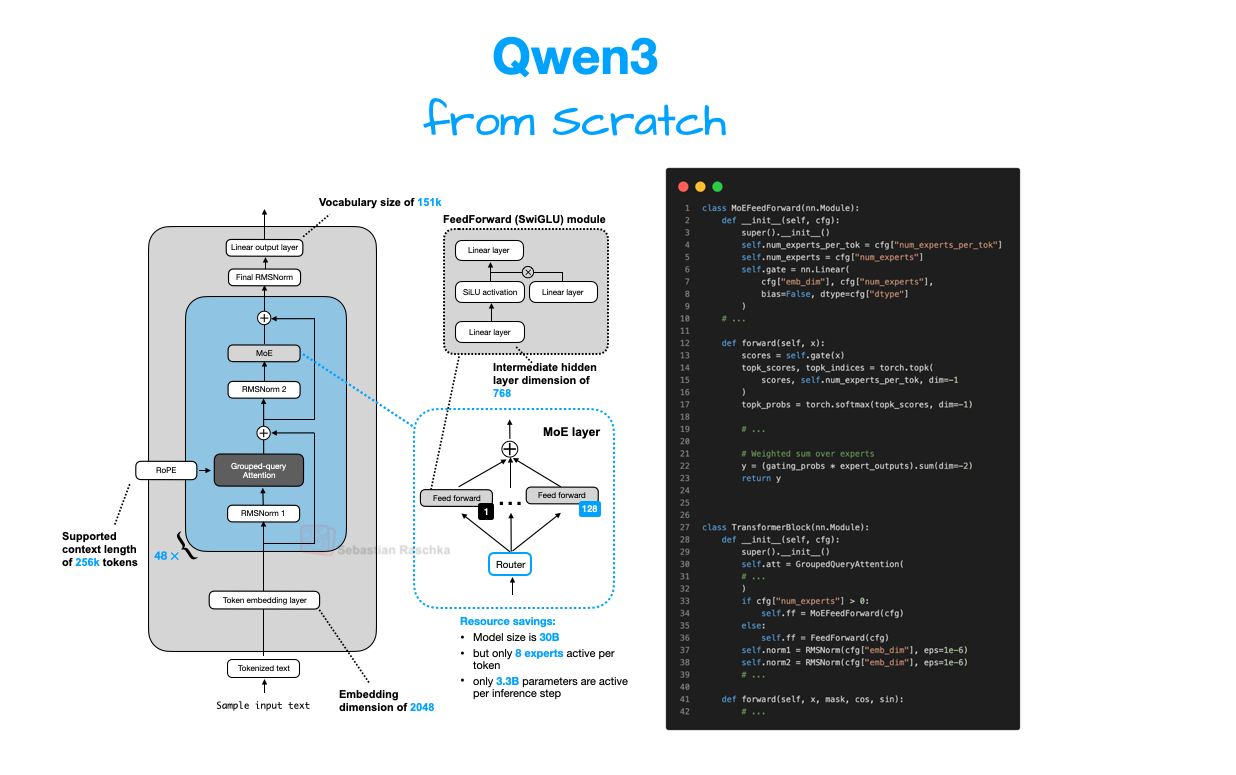
Previously, I compared the most notable open-weight architectures of 2025 in The Big LLM Architecture Comparison. Then, I zoomed in and discussed the various architecture components in From GPT-2 to gpt-oss: Analyzing the Architectural Advances on a conceptual level.
Since all good things come in threes, before covering some of the noteworthy research highlights of this summer, I wanted to now dive into these architectures hands-on, in code. By following along, you will understand how it actually works under the hood and gain building blocks you can adapt for your own experiments or projects.
For this, I picked Qwen3 (initially released in May and updated in July) because it is one of the most widely liked and used open-weight model families as of this writing.
The reasons why Qwen3 models are so popular are, in my view, as follows:
A developer- and commercially friendly open-source (Apache License v2.0) without any strings attached beyond the original open-source license terms (some other open-weight LLMs impose additional usage limits)
The performance is really good; for example, as of this writing, the open-weight 235B-Instruct variant is ranked 8 on the LMArena leaderboard, tied with the proprietary Claude Opus 4. The only 2 other open-weight LLMs that rank higher are DeepSeek 3.1 (3x larger) and Kimi K2 (4x larger). On September 5th, Qwen3 released a 1T parameter “max” variant on their platform that beats Kimi K2, DeepSeek 3.1, and Claude Opus 4 on all major benchmarks; however, this model is closed-source for now.
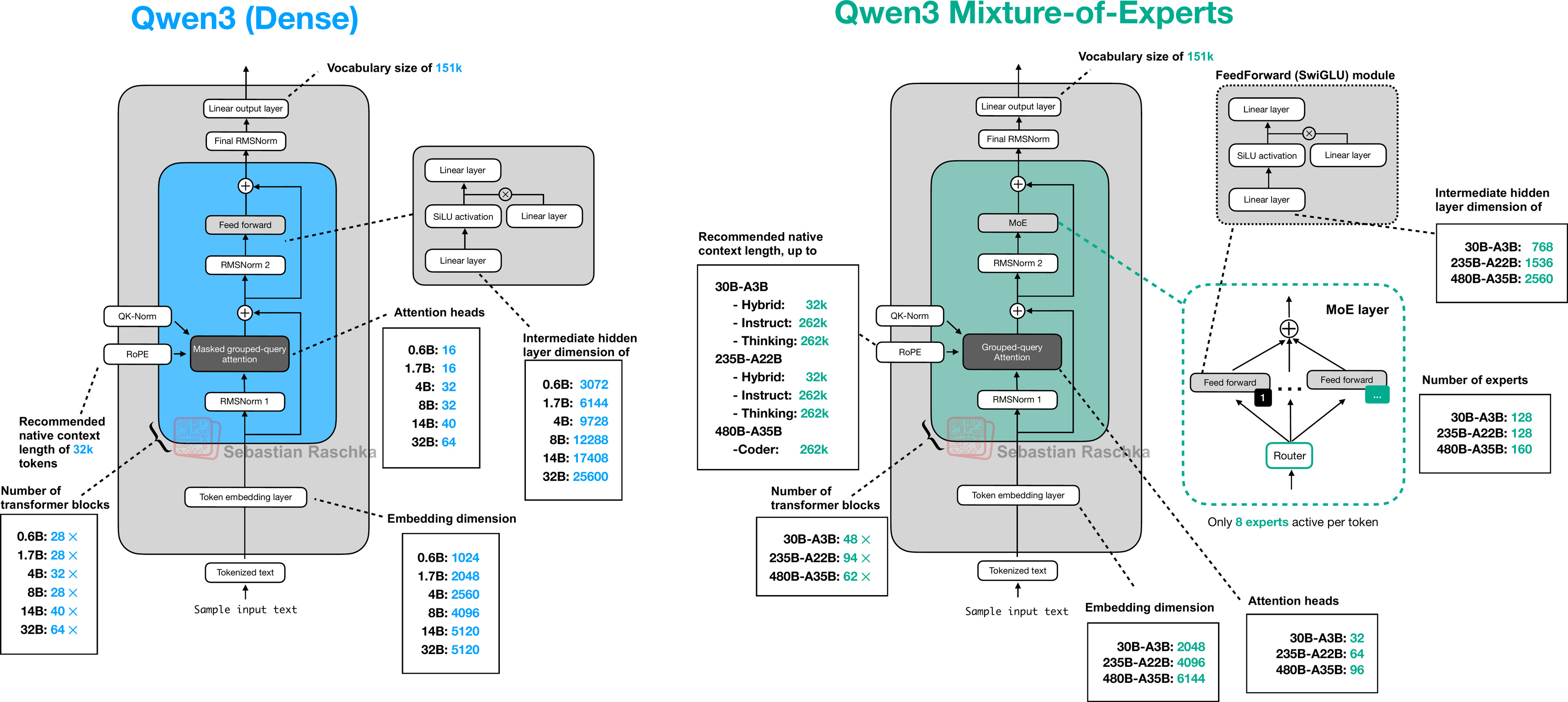
There are many different model sizes available for different compute budgets and use-cases, from 0.6B dense models to 480B parameter Mixture-of-Experts models.
This is going to be a long article due to the from-scratch code in pure PyTorch. While the code sections may look verbose, I hope that they help explain the building blocks better than conceptual figures alone!
Tip 1: If you are reading this article in your email inbox, the narrow line width may cause code snippets to wrap awkwardly. For a better experience, I recommend opening it in your web browser.
Tip 2: You can use the table of contents on the left side of the website for easier navigation between sections.
Discussion (0)
Sign in to join the discussion. Free account, 30 seconds — email code or GitHub.
Sign in →No comments yet. Sign in and be the first to say something.